Save it. Find it later.
Save movies and shows, then find them later
Save a movie or show with the bookmark on its title page. When you want it again, open Profile, find Bookmarks and tap See all. Reopen the title to check its details before choosing.
By ReelRecs · Updated October 15, 2026
IN THE APP
Example: save Past Lives and find it again
This walkthrough starts on the Past Lives (2023) title page in a signed-in test profile with existing ratings. It follows the same film through saving, leaving the page and reopening it. You can search for a recommendation by name and check its year before you begin.
Tap a screen to see it full size.
1. Save the film and choose whether to use reminders
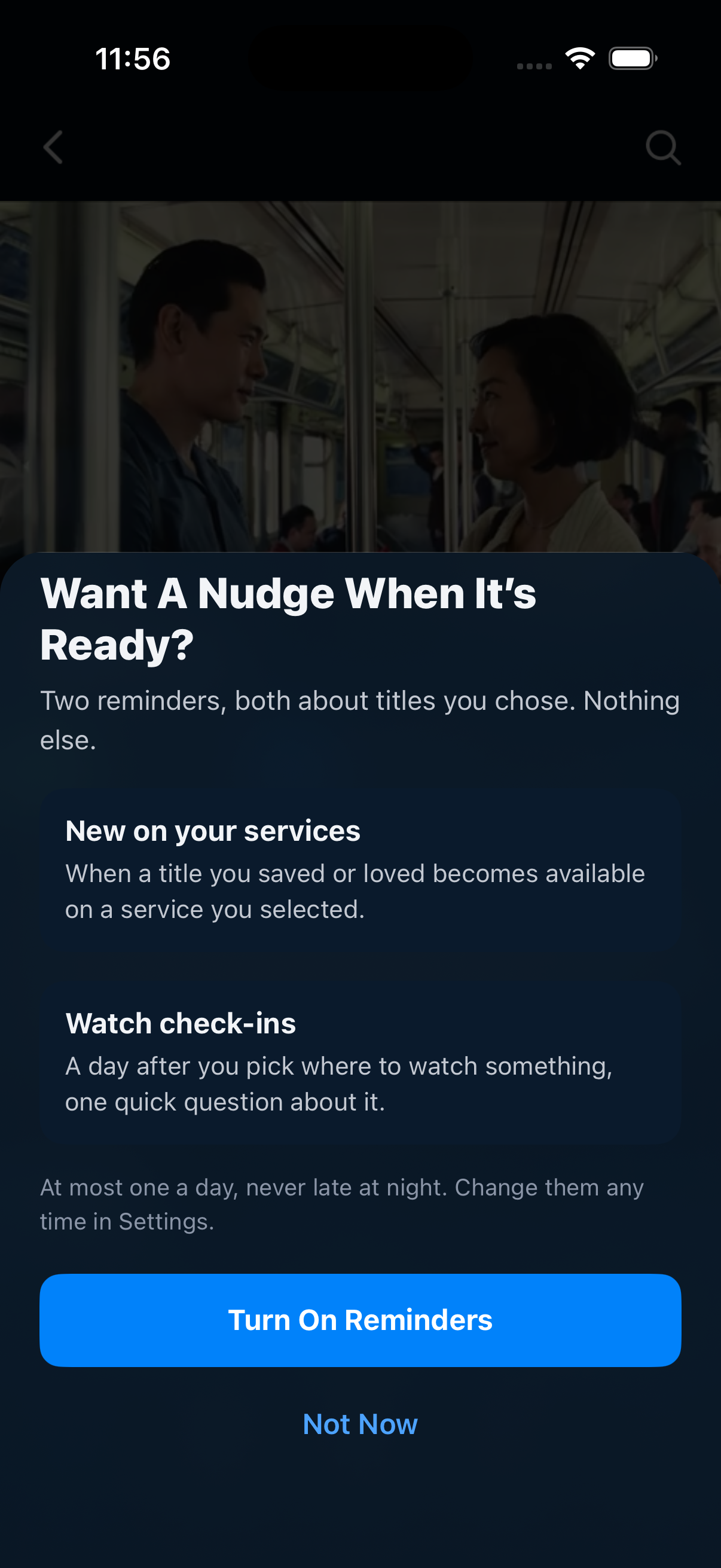
Tap the bookmark at the far right of the title’s score row. On a first save, the reminder screen can appear. In this example, choose Not Now. The film stays saved without turning on reminders.
2. Leave the title and open Profile
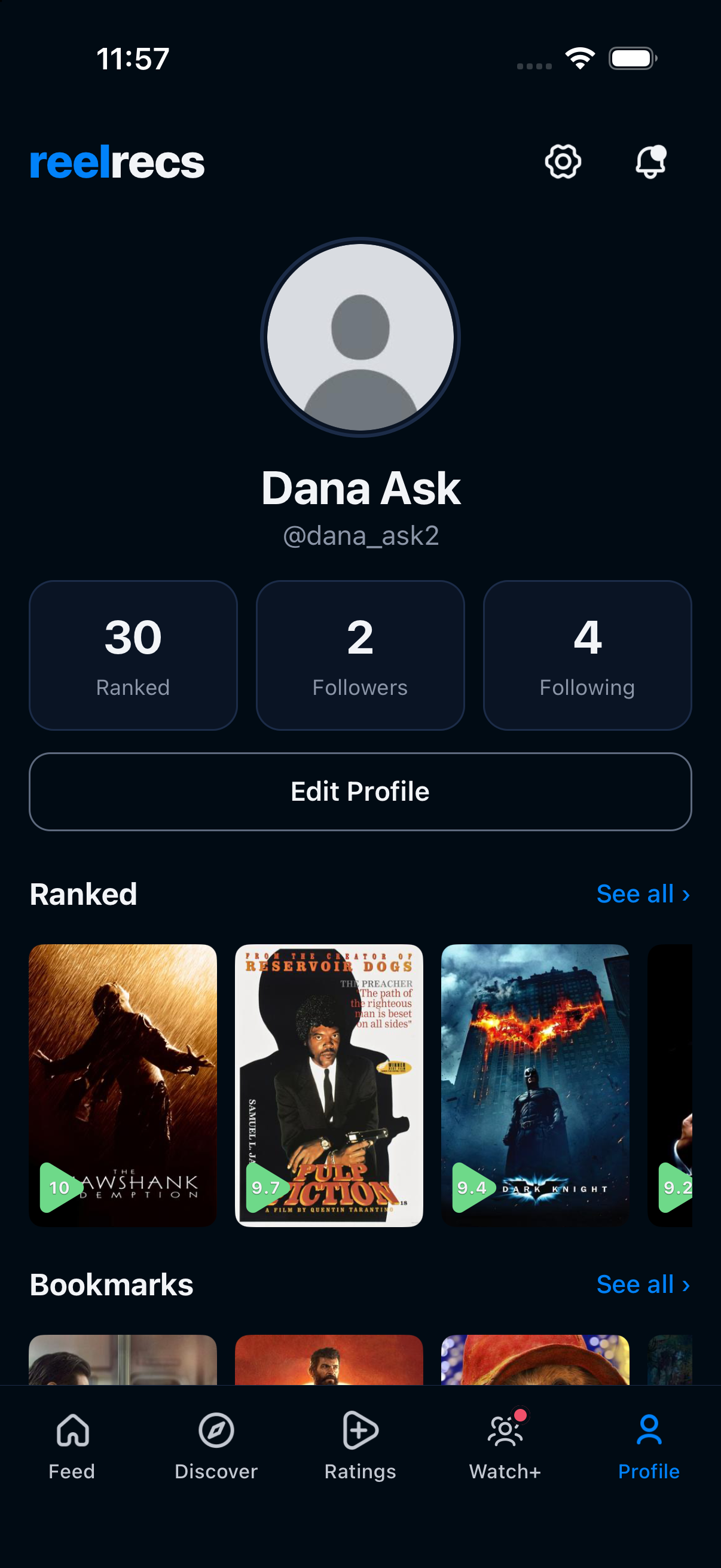
Tap Profile in the bottom navigation. Find Bookmarks below Ranked. Tap See all beside Bookmarks, rather than the separate See all beside Ranked.
3. Find the film in Bookmarks
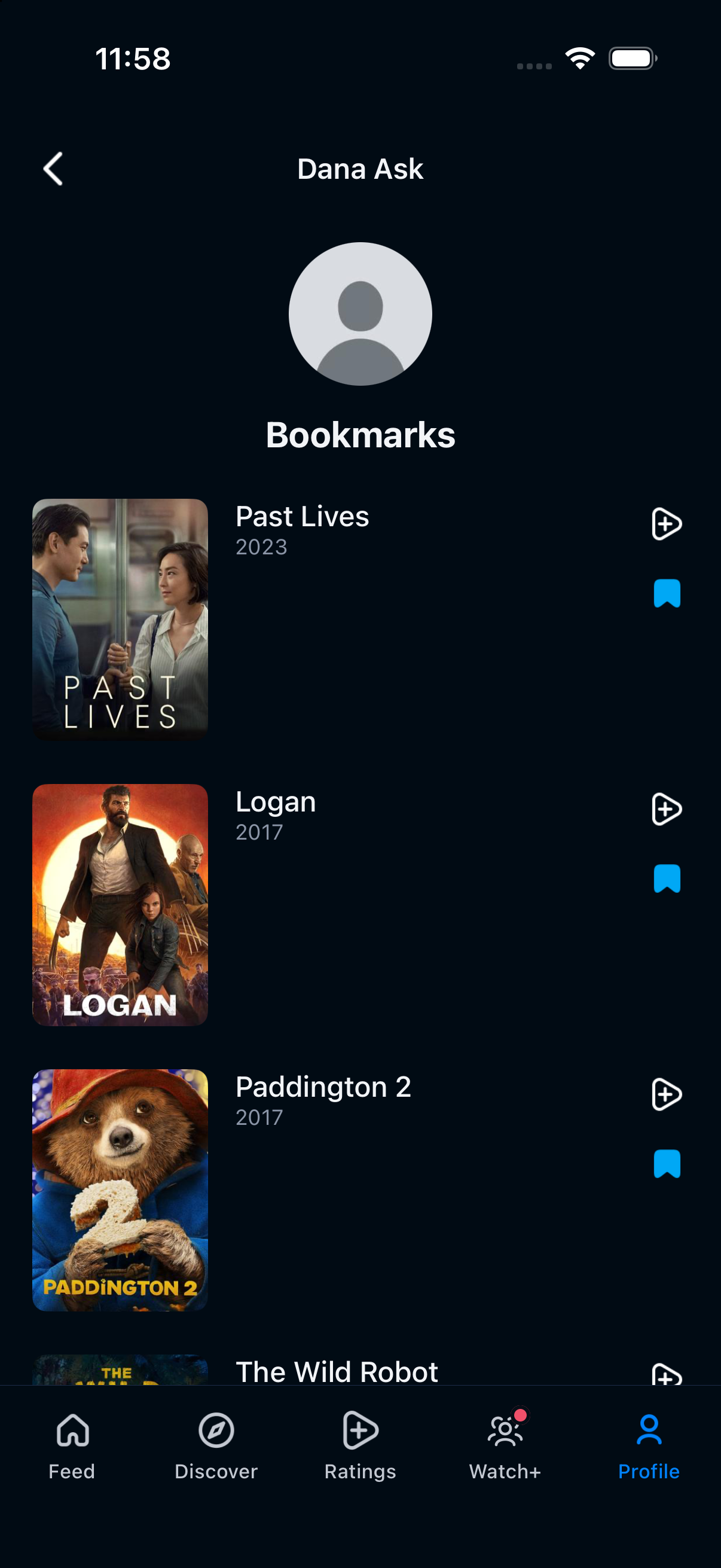
Past Lives (2023) appears in the saved list. Check the title and year, then tap it. The filled blue bookmark shows that it is saved.
4. Reopen the same title
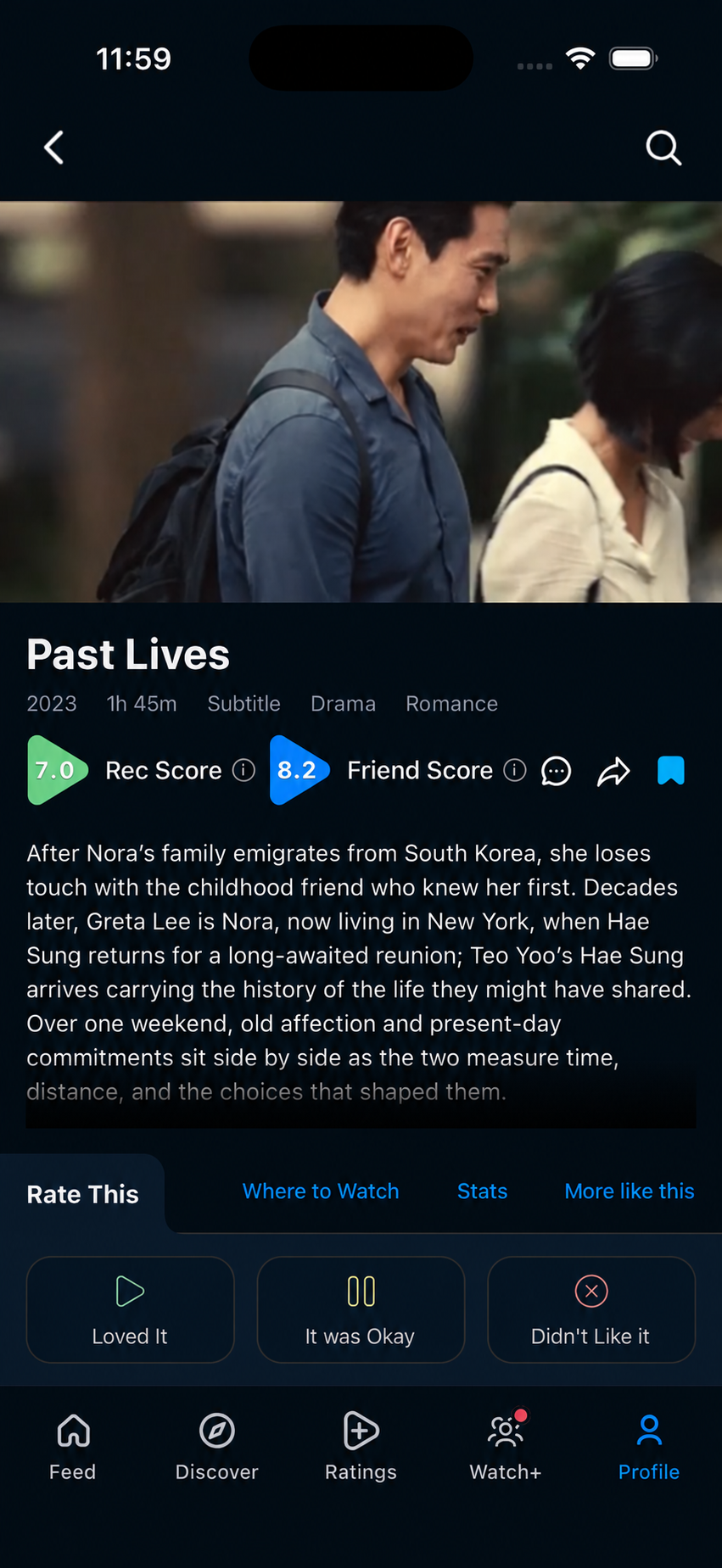
Past Lives opens again with its bookmark still filled. This profile’s Rec Score is 7.0. Saving did not add a rating or mark the film as watched. Now you can read its details or check Where to Watch before choosing.
The film was saved, recovered through a separate list and reopened. The example completes the save-and-find task without enabling reminders or adding a rating.
Example captured in an iPhone simulator on October 15, 2026 using ReelRecs 1.0.43 and a test profile with 30 existing ratings. The reopened title image is a representative edit with an illustrative Friend Score of 8.2. Rec Score 7.0 and the saved bookmark come from the captured flow. Your scores and layout can differ. The reminder screen may not appear again after you dismiss it.
A watchlist and watch history have different jobs
Your saved list holds possibilities. Your ratings describe what you have already seen and thought about. Keeping those separate makes it easier to choose without losing the taste information that helps recommendations.
Reminders are a separate choice
Saving keeps the title on your list. The app can then offer reminders about availability on selected services and watch check-ins. This example uses Not Now and does not test reminder delivery. Check the provider when you are ready to watch.
A couple of useful answers
Does saving a movie mark it as watched?
No. A bookmark records that you want to keep it for later. Rating a watched title is a separate action.
Can I automatically import every streaming watchlist?
This guide describes saving titles inside ReelRecs. It does not promise automatic imports or synchronization with other streaming services.
PUT IT INTO PRACTICE
Find your next watch in ReelRecs.
Available on iPhone and Android. Personal recommendations start with your ratings.