Find common ground
Choose a movie together when your tastes differ
Open a Watch+ group for the people watching. Browse Picks, compare the Group Score with tonight’s time and mood, then let each person choose Would Watch or Pass. Look for shared interest and confirm the film and provider together.
By ReelRecs · Updated October 15, 2026
IN THE APP
Example: find a film Dana and Casey would both watch
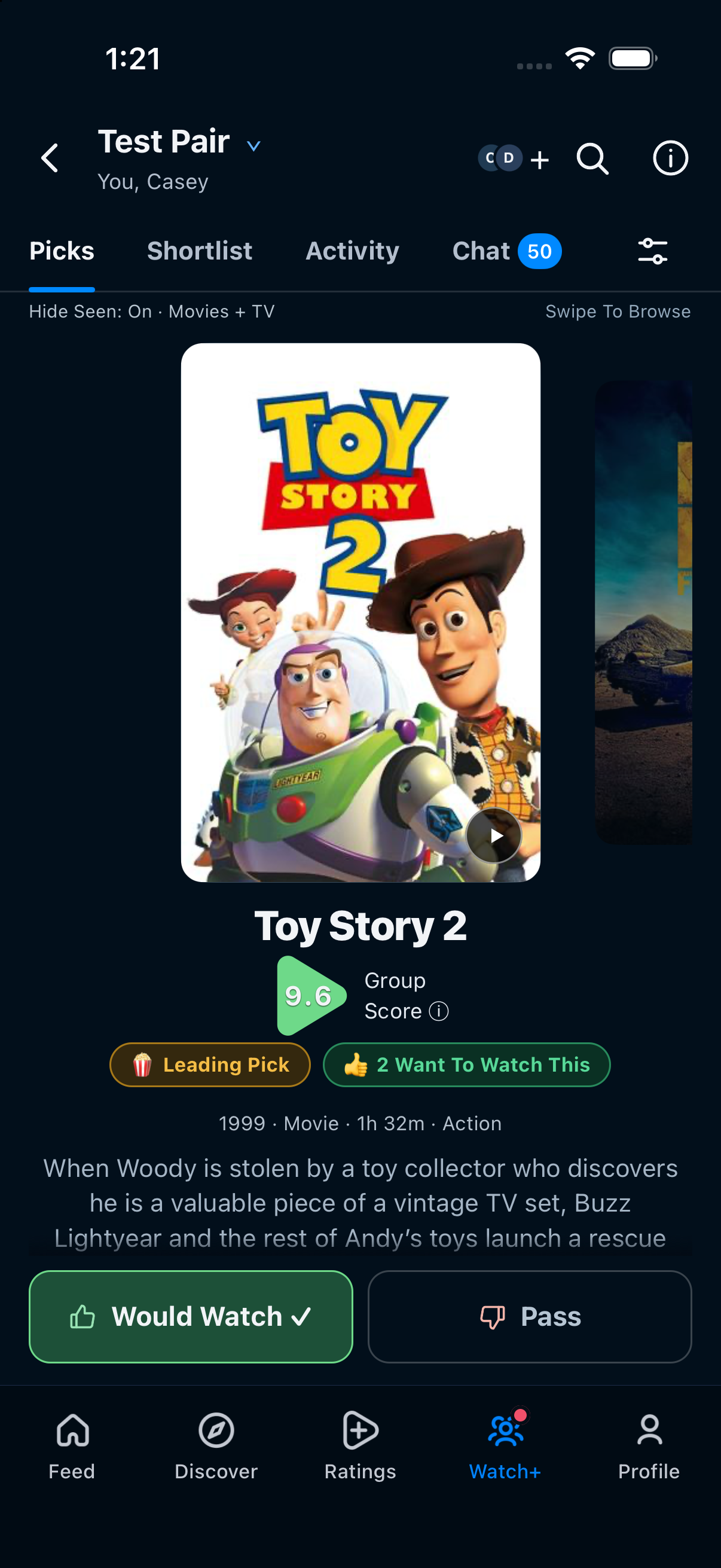
Dana and Casey are example profiles with existing ratings and a mutual friendship. This walkthrough starts from New Group, reopens their existing two-person group, and uses Toy Story 2 (1999) to show shared interest. Before you begin, agree on the time you have and anything either person wants to avoid.
Tap a screen to see it full size.
1. Choose the people watching
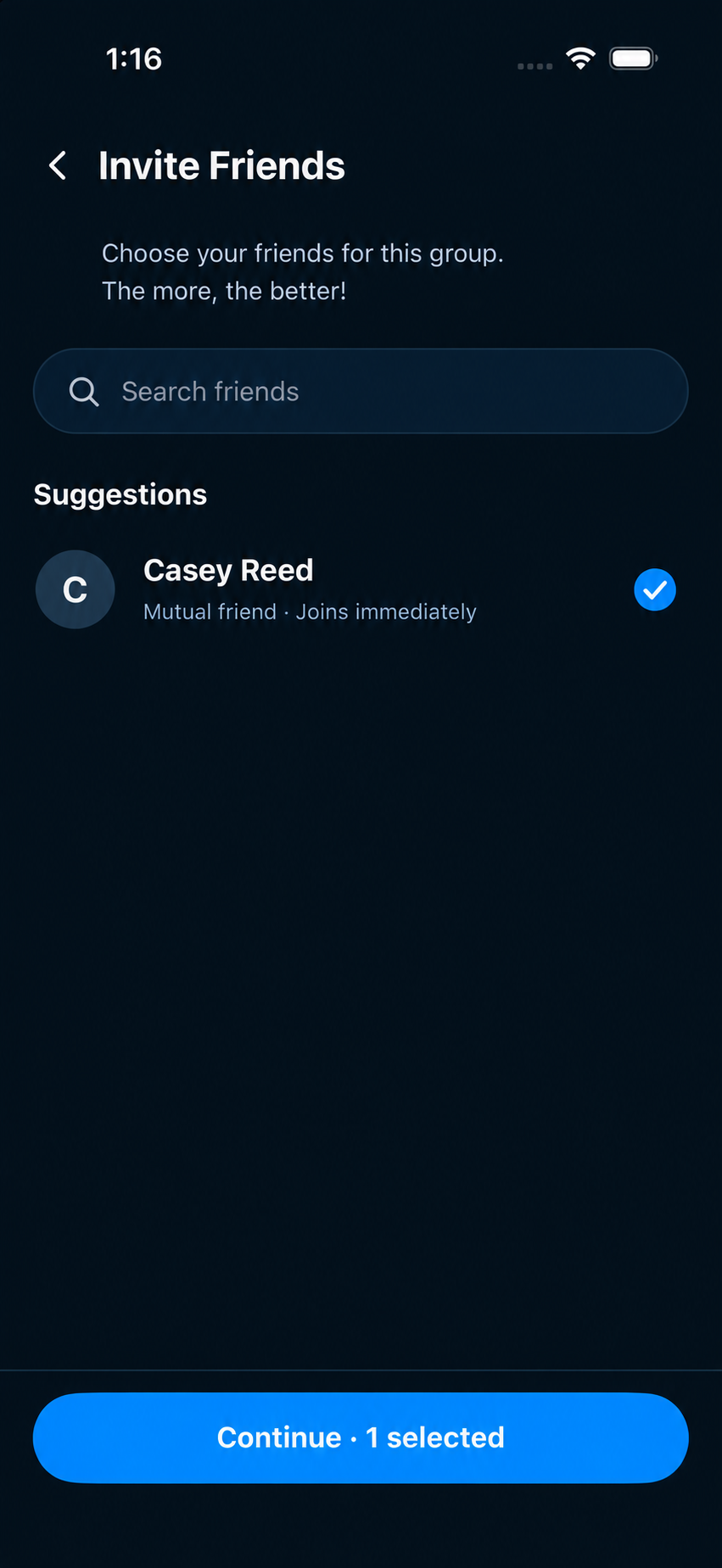
Open Watch+ and tap New Group. In Invite Friends, select the friend who will watch with you, then tap Continue · 1 selected. Casey is labelled Mutual friend · Joins immediately in this example. Read the status in your own picker; another friend may require an invitation.
2. Name the group, or reopen the one you already share
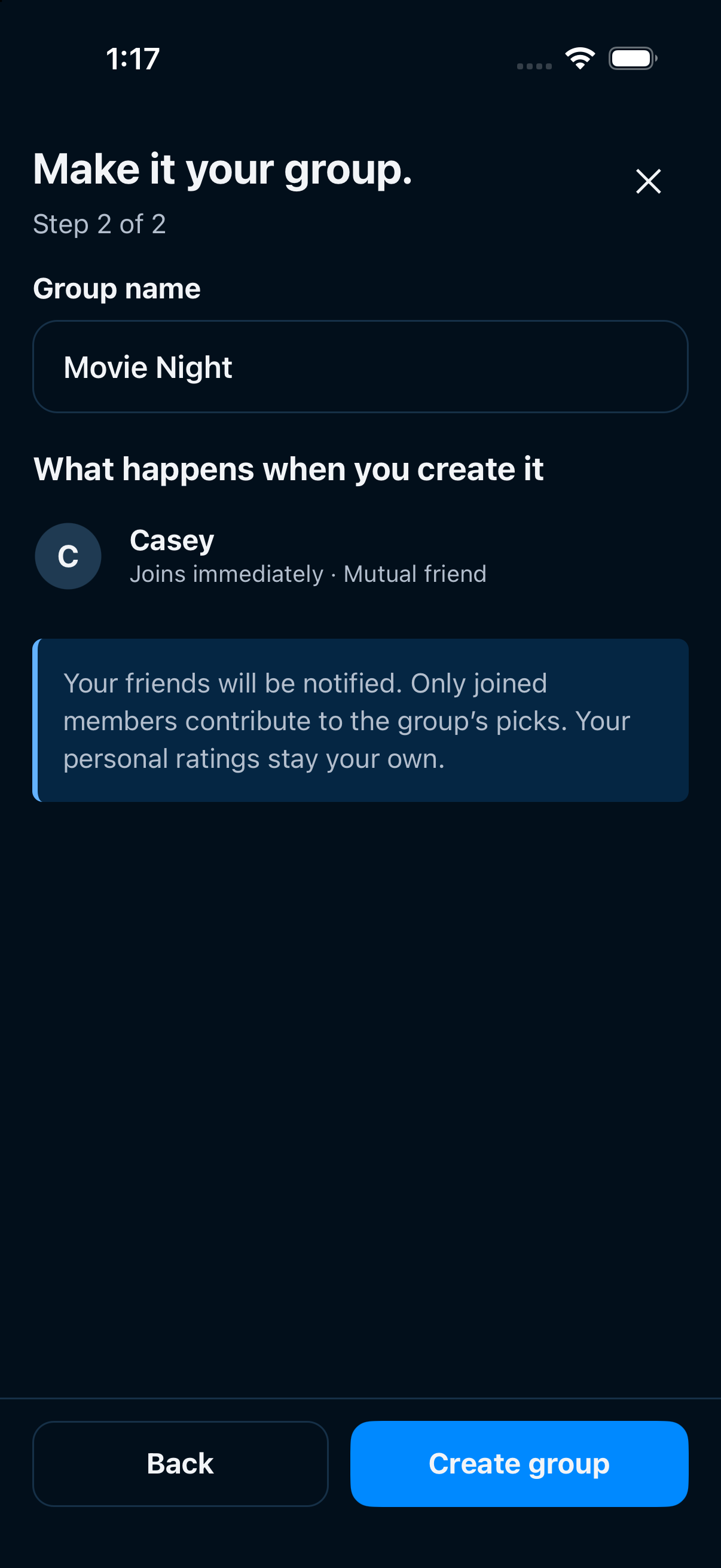
Enter a name such as Movie Night. Check what will happen when you create it: only joined members contribute to the group’s picks. Tap Create group. Here the app found an existing group called Test Pair with exactly Dana and Casey, so the walkthrough uses Open group instead of creating a duplicate.
3. Record your interest in a shared pick
In the group’s Picks tab, browse suggestions and read the Group Score. This pair sees Toy Story 2 with a 9.6 score and a running time of 1 hour 32 minutes. Dana taps Would Watch. The count changes from one person to 2 Want To Watch This, and Dana’s button gains a check mark. Pass is available when a suggestion does not fit.
4. Check the other person’s choice, then agree on tonight
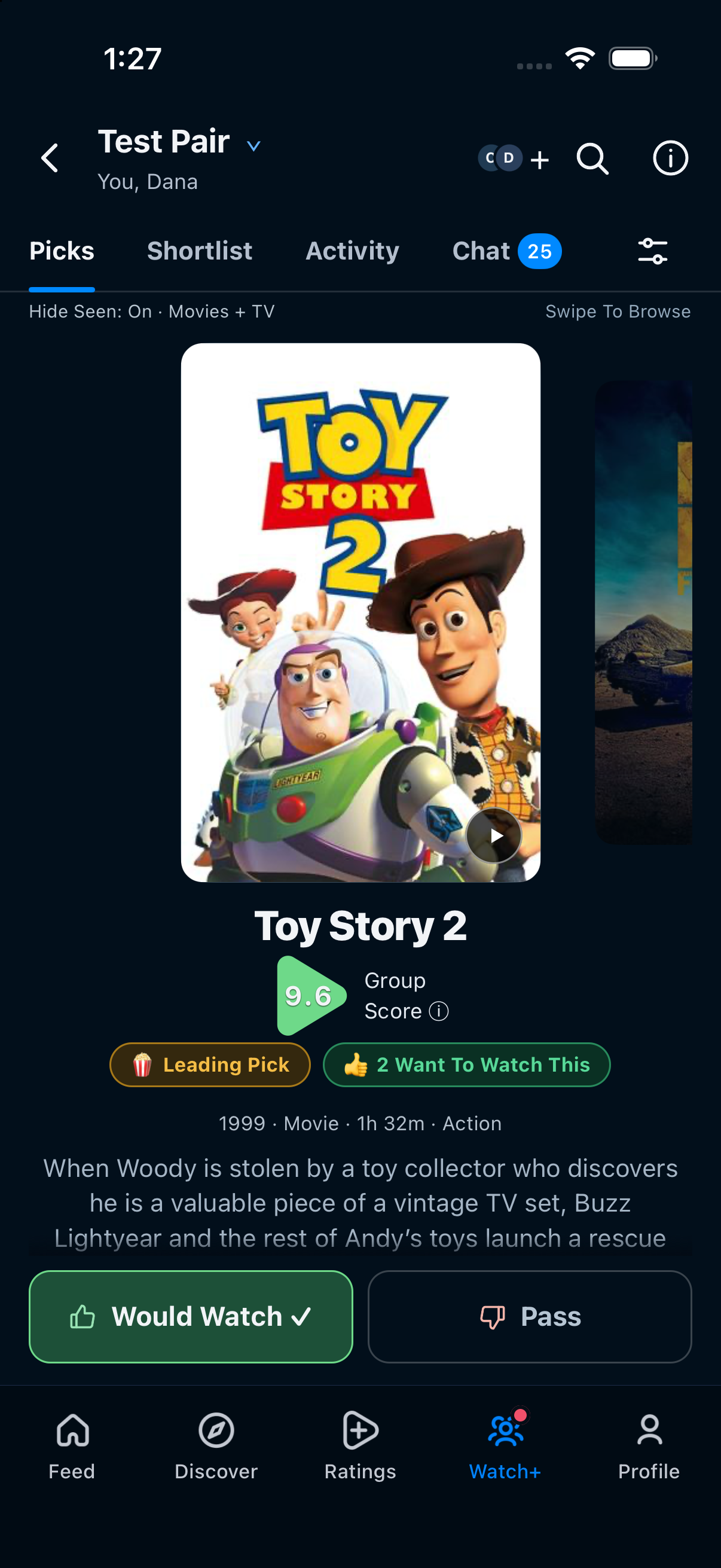
Casey opens Watch+, chooses the same Test Pair group and sees Toy Story 2 (1999), Group Score 9.6 and 2 Want To Watch This. Casey’s own Would Watch button is selected too. Check that you are discussing the same film, then confirm that both people want it tonight and check its provider before starting.
This example brings both profiles to a shared suggestion with interest recorded from each account. Agree on whether to watch it tonight, then confirm the film and access with the provider.
Example captured October 15, 2026 in an iPhone simulator running ReelRecs 1.0.43, using two rated test profiles. The friend-picker image is simplified to focus on the selected friend. Group scores, suggestions and joining requirements can differ.
Decide what fits the occasion
Before comparing suggestions, agree how much time you have and anything either person wants to avoid. Use those limits when you discuss the films. A shared score gives you somewhere to start the conversation.
Agree on a film, then check access
Each person should say whether they want to watch the choice. Open Where to Watch and check the provider, price and access together. Playback happens through that service.
A couple of useful answers
Does a high group score mean we both agreed?
A shared prediction can help you choose a shortlist. Ask each other before choosing the film; the score does not record a conversation or prove agreement.
Do we need our own taste profiles?
Each participant needs their own ReelRecs account and taste information. This example starts with two accounts that already have ratings.
PUT IT INTO PRACTICE
Find your next watch in ReelRecs.
Available on iPhone and Android. Personal recommendations start with your ratings.