Check a particular title
Would I like this movie, and where can I watch it?
Search for the exact film in ReelRecs, then open its Rec Score explanation to investigate personal fit. Under Where to Watch, compare Subscription, Rent, Buy and Free. Confirm the title, price and access with the provider before paying.
By ReelRecs · Updated October 15, 2026
IN THE APP
Example: checking Past Lives before choosing it
Suppose someone recommends Past Lives (2023). These screens follow an example profile that already has ratings. A new user completes account and taste setup first. The aim is to check the particular film and understand its personal score before deciding what to do next.
Tap a screen to see it full size.
1. Search by name and check the year
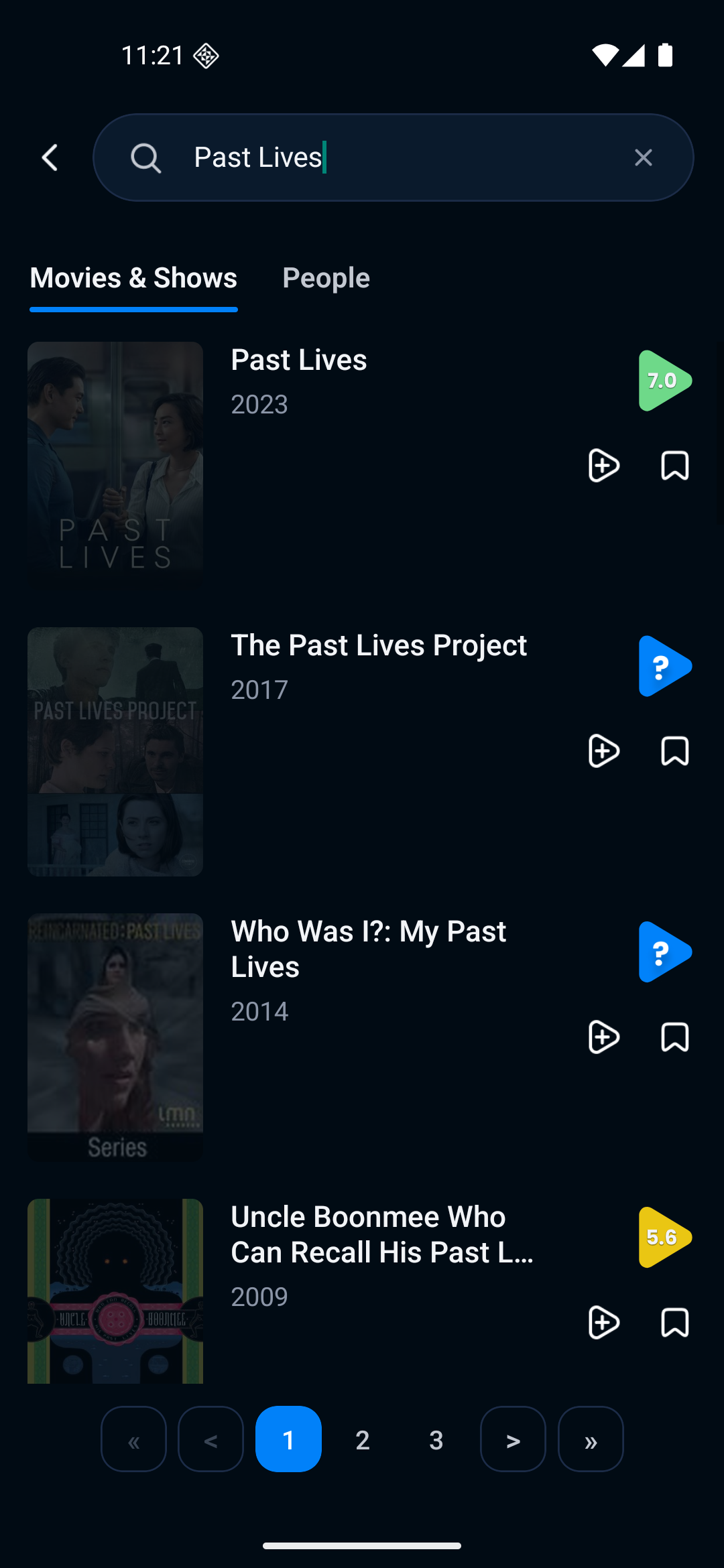
Enter Past Lives in search. Choose the 2023 movie, rather than another result with similar words in its name. This profile sees a 7.0 score next to the result.
2. Read the title page
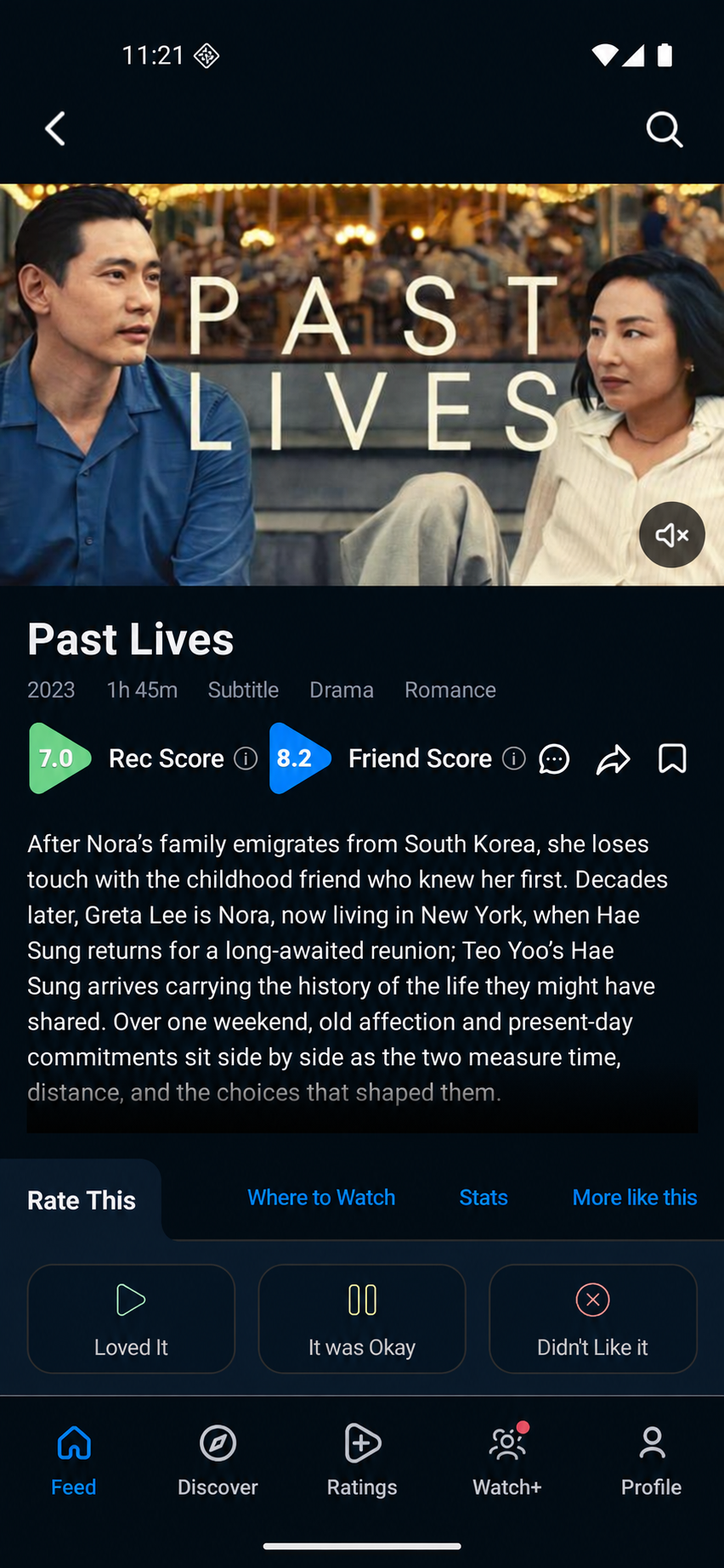
Open Past Lives. Check its description, running time and Rec Score. This is a prediction for this example profile. A title you have already rated can show Your Score instead.
3. Understand the prediction
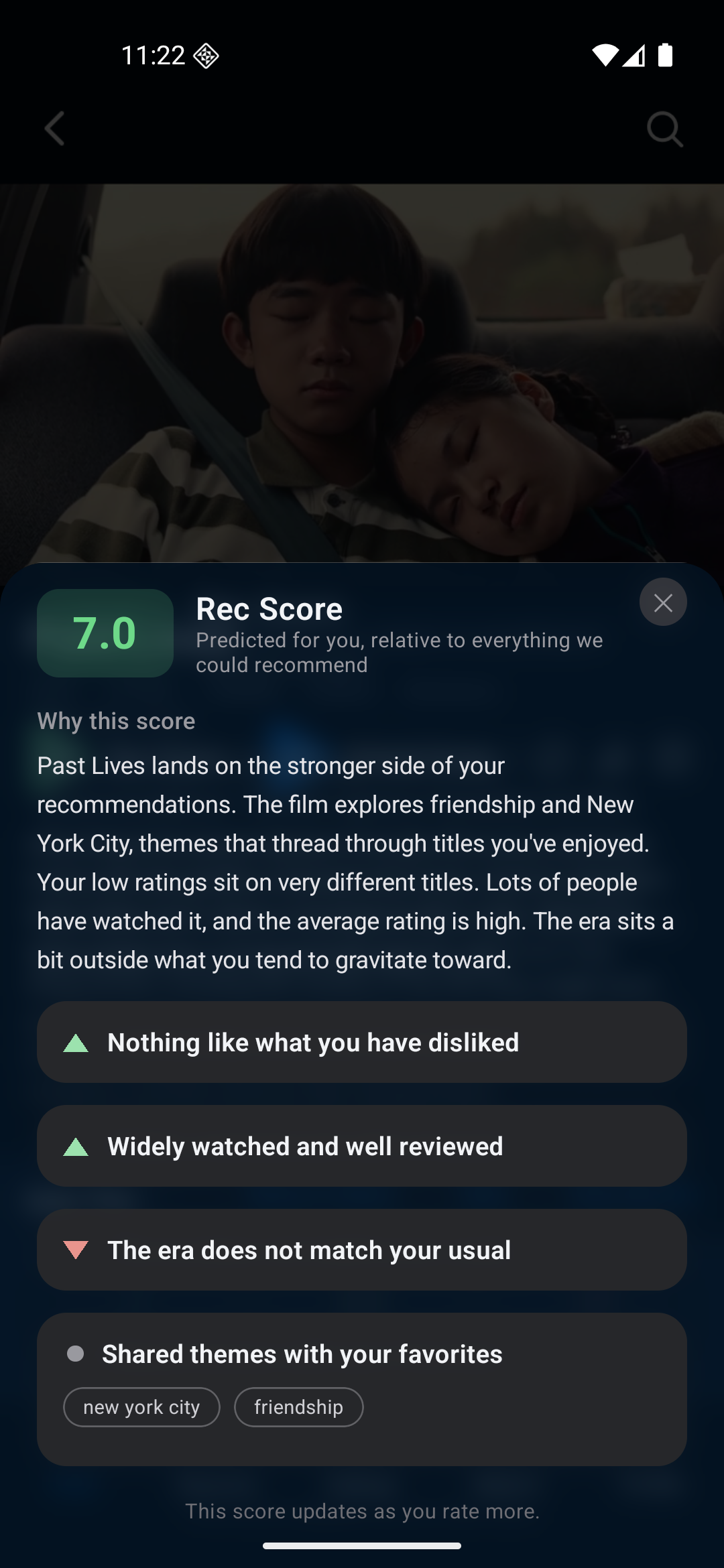
Tap the information icon beside Rec Score. Why this score explains which parts of this profile’s taste support the suggestion and where it may differ. Wait for the explanation to load, then use it alongside the trailer and description.
4. Compare the listed ways to watch
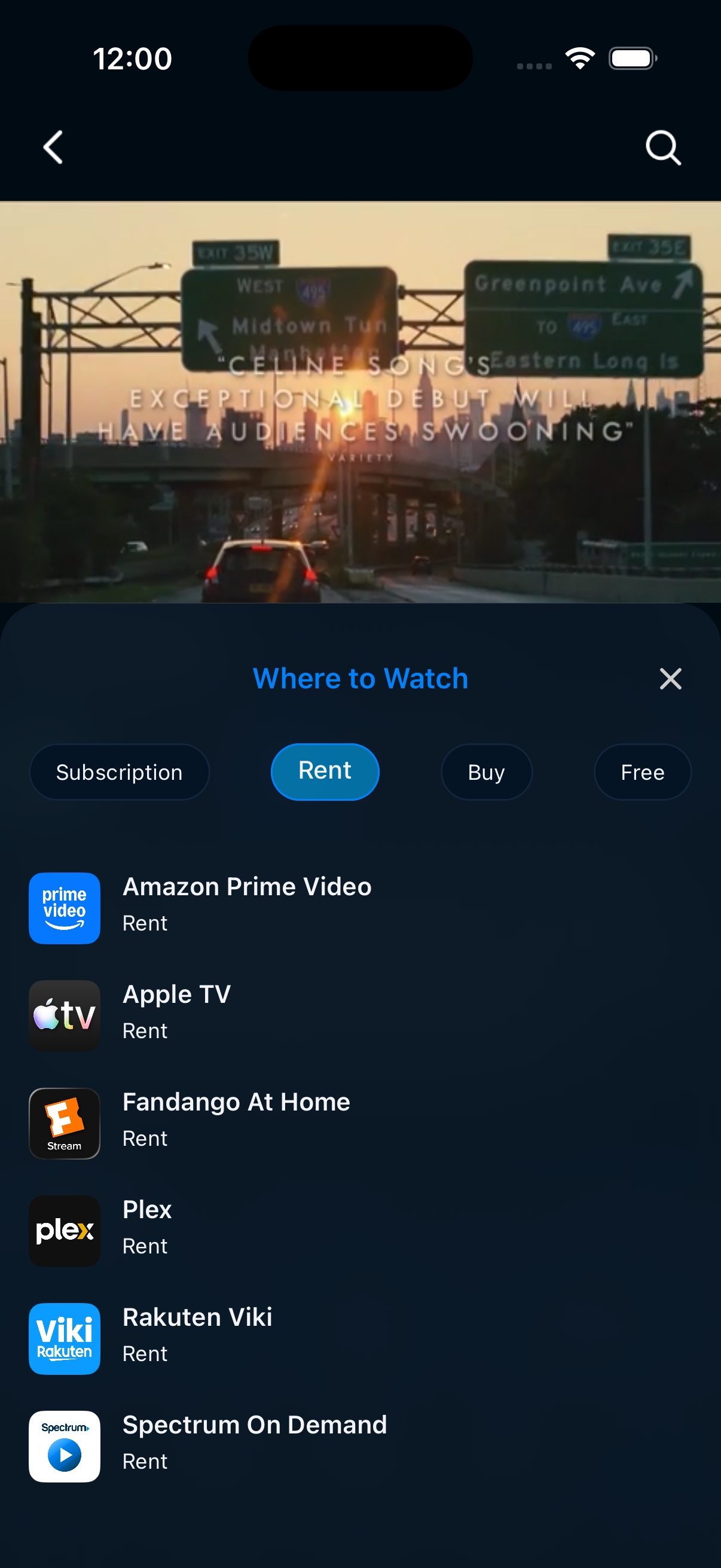
Open Where to Watch, then select Rent. This US example lists rentals including Amazon Prime Video and Apple TV. The Subscription category was empty; that did not mean there were no rentals. Confirm the exact film, current price and access on the provider itself before paying.
The test profile found a personal prediction and listed rental options for the same film. Use those to decide whether to investigate a rental, save the film for later or choose something else. This walkthrough stops at the listings; provider access, prices and playback were not tested.
Same test profile, captured October 15, 2026: search and score screens in Android 1.0.43; rental listings in an iPhone simulator running 1.0.43. Listings were for the United States. The title-page image is a representative edit with an illustrative Friend Score of 8.2. Rec Score 7.0 comes from the captured profile. Your scores and available providers can differ.
What the Rec Score tells you
Rec Score is a prediction of personal fit based on your taste information. A title you have already rated can show Your Score instead; read the label before interpreting the number. A missing score means you should not treat the title as a known match. You can still use the description, trailer, and provider information to investigate it.
A useful answer can be “not tonight”
You may discover that a highly rated movie is too intense for the occasion or requires another rental. Deciding to save it or pass is a valid outcome. You do not need to force a watch just because the suggestion looked good.
A couple of useful answers
Does a provider listing mean the title is free?
No. It may require a subscription, rental, or purchase. Check the provider before paying or starting playback.
What if a title is unavailable?
Check your country and the provider directly. Save the title if you want to remember it, or pick something else. ReelRecs cannot guarantee that a provider will carry a title.
PUT IT INTO PRACTICE
Find your next watch in ReelRecs.
Available on iPhone and Android. Personal recommendations start with your ratings.